Screen Recording
 Screenshot Capture
 GIF Capture
 File Sharing & Collaboration
 Jumpshare AI
We’ve been hard at work behind the scenes, and today we’re excited to share one of the most meaningful updates to our Mac and Windows apps yet. This release is all about making screen recording easier and smoother, whether you’re creating explainers, sharing feedback, capturing sensitive info, or celebrating wins with your team.
Here’s what’s new.
A Fresh New Screen Recorder You’ll Love Using
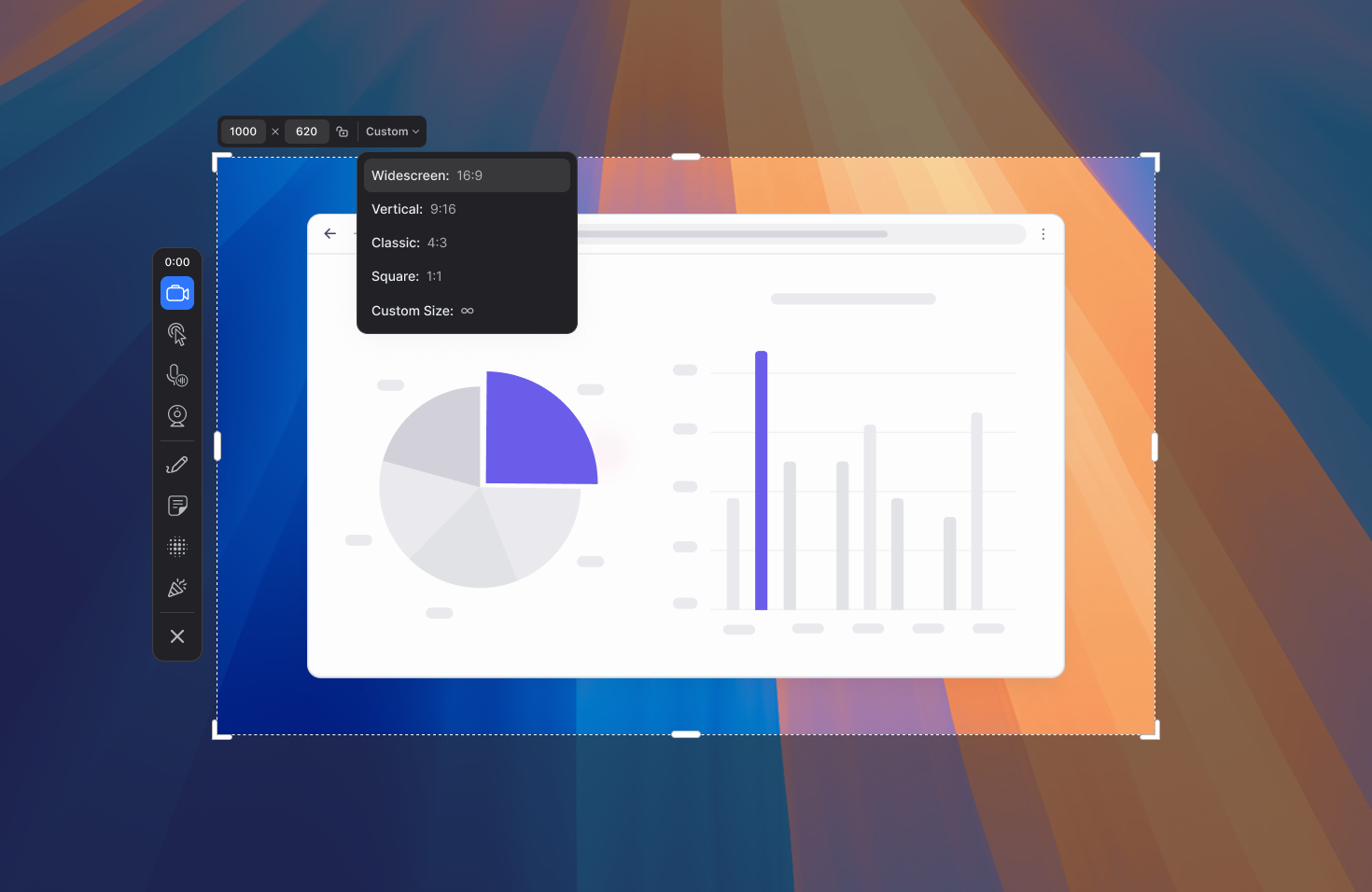
We’ve given the screen recorder a polished new look, and more importantly, a more intuitive workflow to help you capture exactly what you need, without friction:
- Reposition the recording controls freely on the screen before or during recordings to keep them out of the way or closer to wherever it’s most convenient.
- Redo or repeat recordings with ease. The recorder now remembers your last captured region, allowing you to reload it with a single keystroke (L) on the recording mode screen.
- Capture with precision. When selecting a recording area, you can now manually enter precise dimensions next to the aspect ratio controls at the top.
Improved Drawing Experience
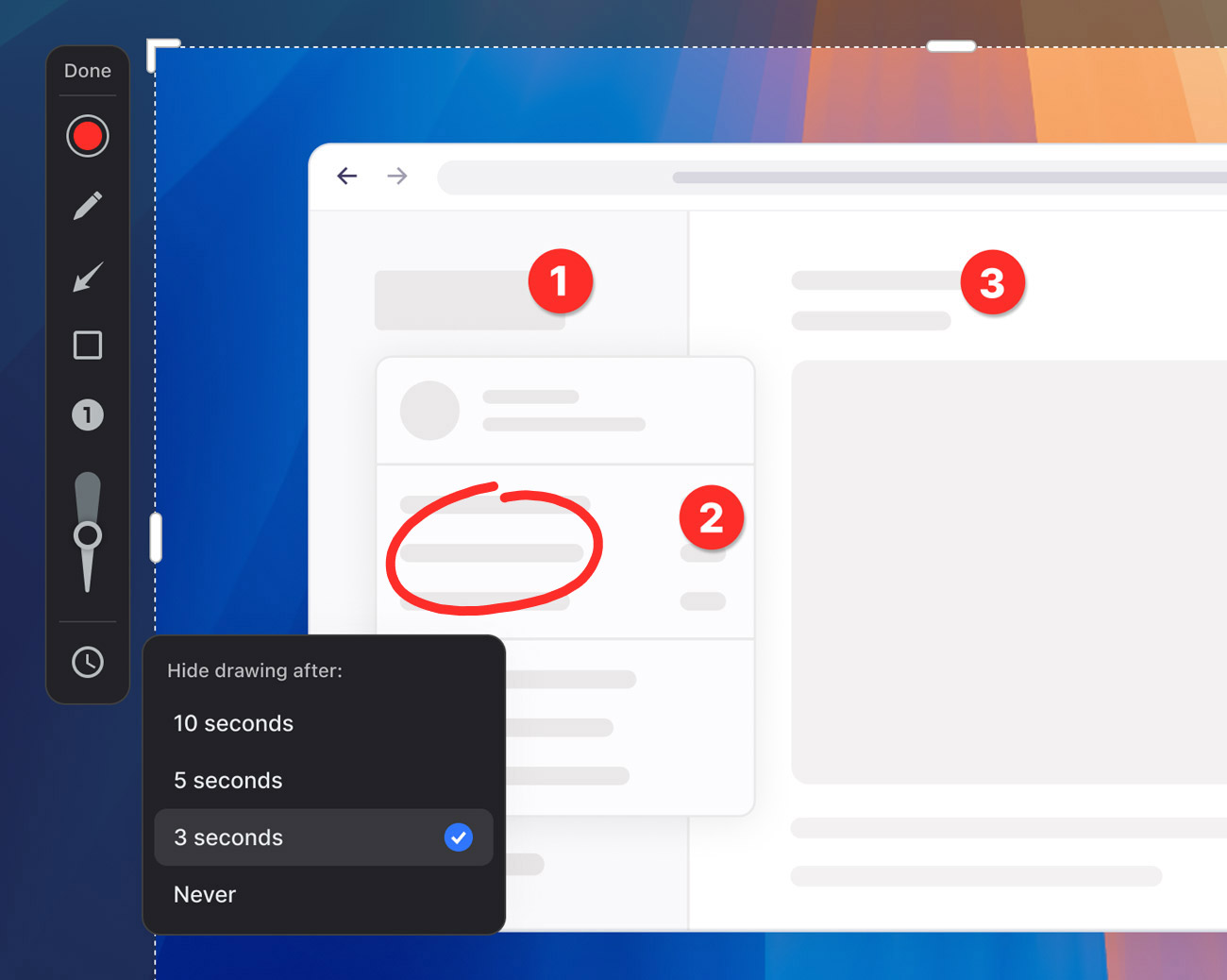
The drawing toolbar now offers a smoother overall experience and greater control. Easily adjust thickness and choose how long your drawings remain on screen. A new annotation tool allows you to add numbered tags to the screen to highlight steps in a process.
New Blur Mode to Hide Sensitive Content
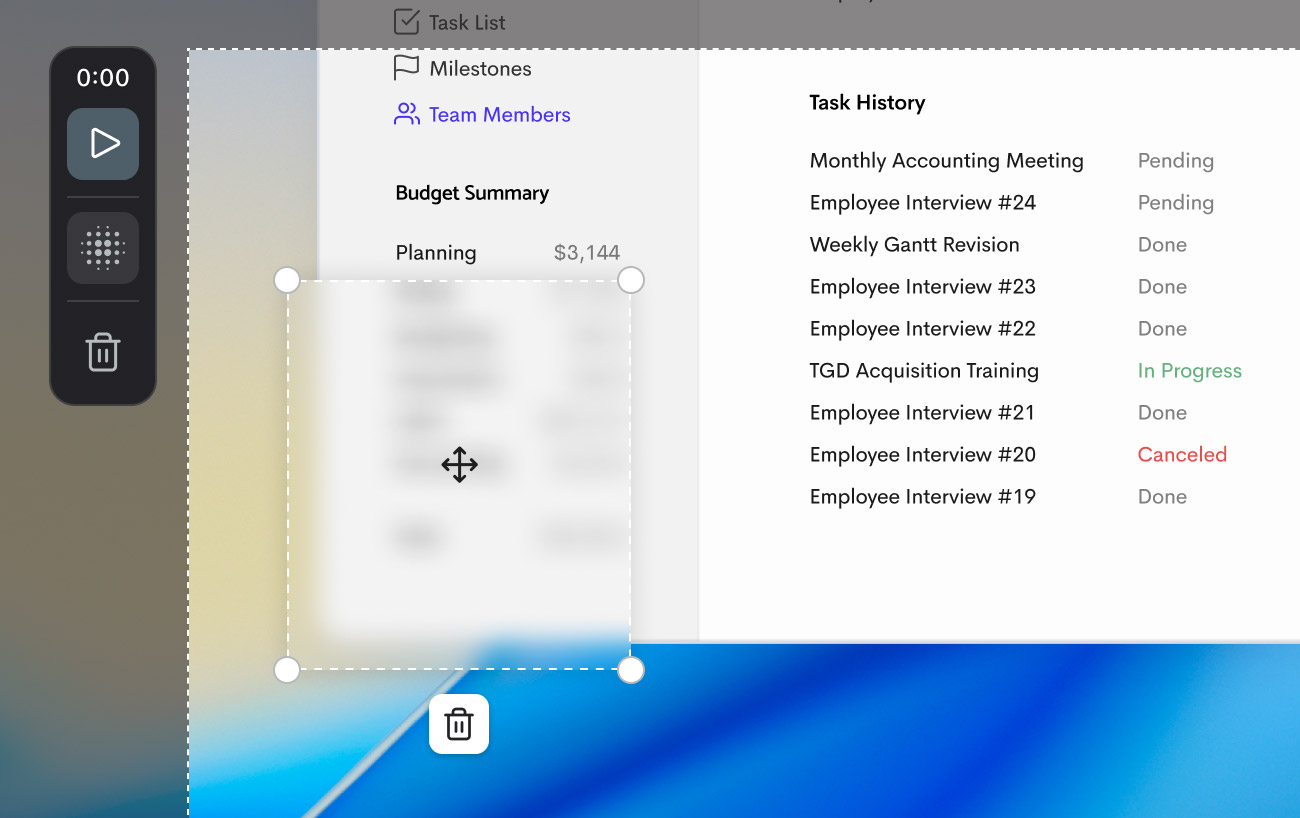
Easily hide private or sensitive information while recording with the new Blur Mode. Click and drag to blur one or multiple areas, reposition them anytime, and remove any or all blurs when you’re done with them.
Avoid editing stress. Just blur what you need as you record. Your recording is automatically paused whenever you switch to Blur Mode, so you can safely hide confidential info before resuming.
🎉 Confetti, Because Wins Deserve Celebration
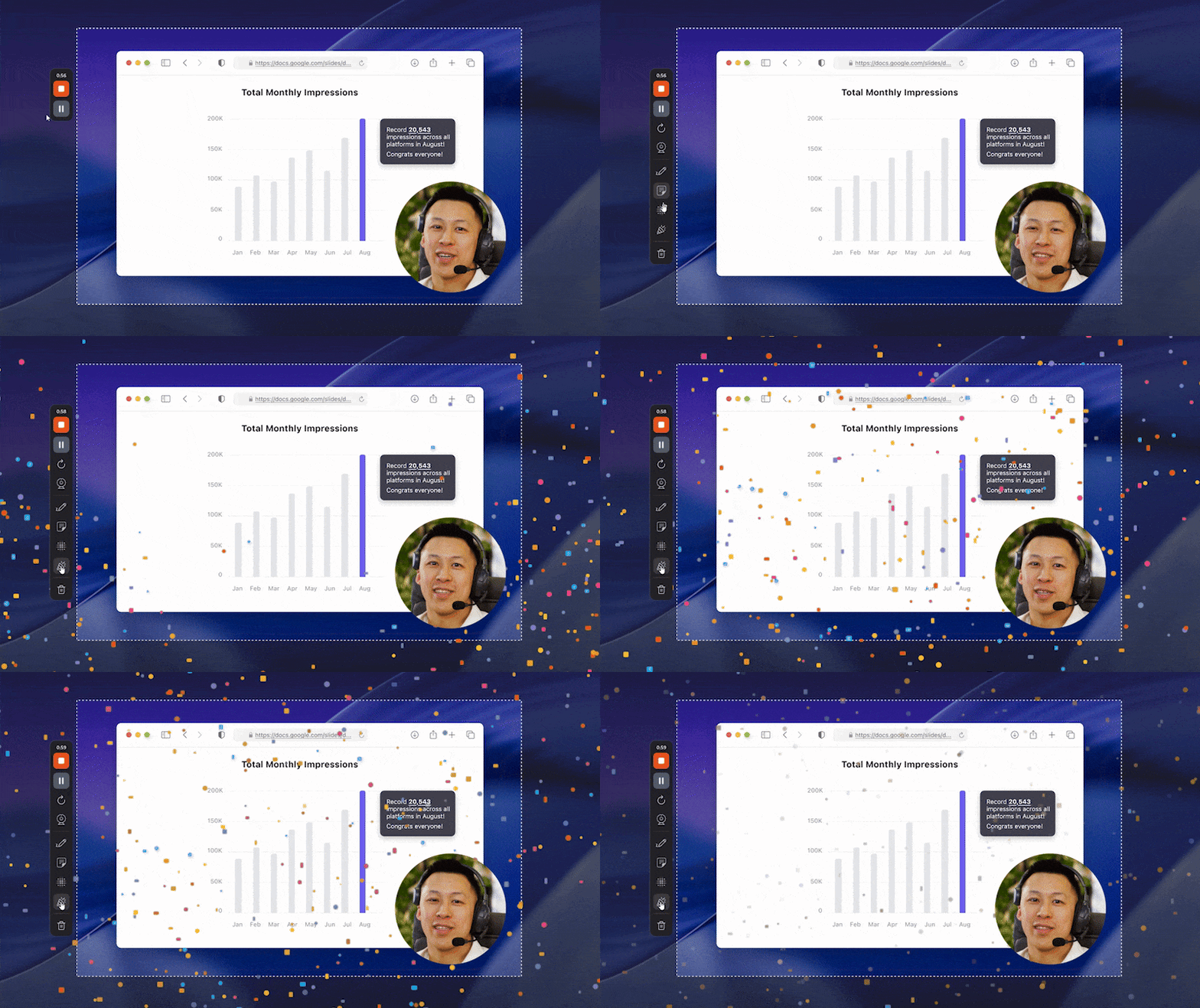
Sometimes, words or annotations just aren’t enough. With the new Confetti Celebration button, you can fill the screen with a burst of confetti to highlight wins, milestones, or exciting moments in your recordings. It’s a simple way to add energy, personality, and a bit of fun to what you share.
New Webcam Styles
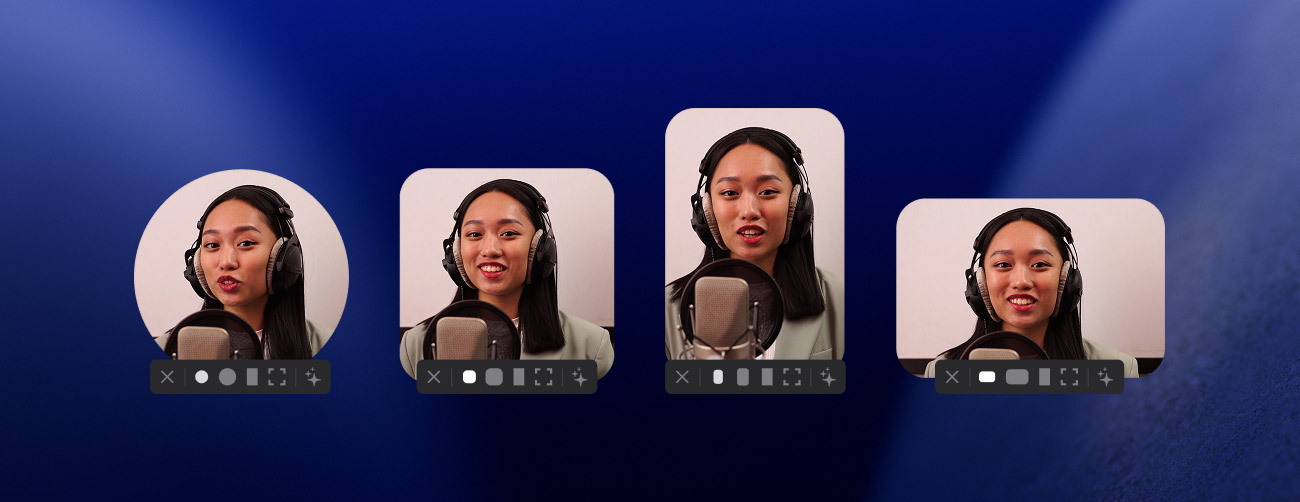
Pick from three new styles for your webcam. The webcam menu now features a new Styles option that will let you switch from the default Circle overlay to Square, Portrait, or Landscape. Switch between styles to better fit the recording area or simply to keep things fresh!
In addition to new features, we’ve made optimizations to ensure a smoother, more reliable experience on macOS Tahoe. The update also features several under-the-hood improvements to boost overall performance and stability on both Mac and Windows.
The update is out today, and as always, we’d love to hear what you think.
Happy recording!