Screen Recording
 Screenshot Capture
 GIF Capture
 File Sharing & Collaboration
 Jumpshare AI

Video is one of the most effective ways to capture attention, explain complex ideas, and build trust with potential customers. But getting someone to watch your video is only half the battle. To generate leads, you also need a way to turn viewers into prospects. That’s where lead capture forms come in.
By adding a lead form directly to your videos, you can collect contact information from viewers while they’re already engaged with your content. Whether you’re sharing product demos, webinars, tutorials, or customer stories, this creates a natural opportunity to grow your email list and generate qualified leads.
In this guide, we’ll explore how video lead generation works and how you can add lead forms to your videos using Jumpshare.
What Is Video Lead Generation?
Video lead generation is the process of using videos to collect information from potential customers, such as their name and email address.
Instead of asking viewers to visit another page, the lead capture form is displayed within or alongside the video itself, reducing friction and increasing the likelihood of conversion. This approach is particularly effective because viewers have already shown interest simply by clicking play, and lead collection happens within the viewing experience, while they are still engaged.
Benefits of Using Video for Lead Generation
Videos naturally build engagement in ways that text and images often can’t. They offer a more personal experience, helping you build trust and connect with your audience. And putting a face to your brand doesn’t hurt either.
Adding a lead form directly to videos creates an opportunity to convert that engagement into action. Here are some of the advantages the medium has over traditional outreach:
- Higher engagement than traditional email outreach
- Qualified leads from viewers who are already interested
- A smoother experience without sending users to another page
- Better insights into which videos capture the most interest
How to Add a Lead Form to Your Videos with Jumpshare
Jumpshare makes it easy to turn any uploaded video or screen recording into a lead collection tool. Here’s how to use it to add a lead form to your videos:
- Upload a video to your Jumpshare library or create one using the Jumpshare screen recorder.
- Open the video by selecting the video from the list of uploads in the Jumpshare desktop app or directly from the Jumpshare web dashboard.
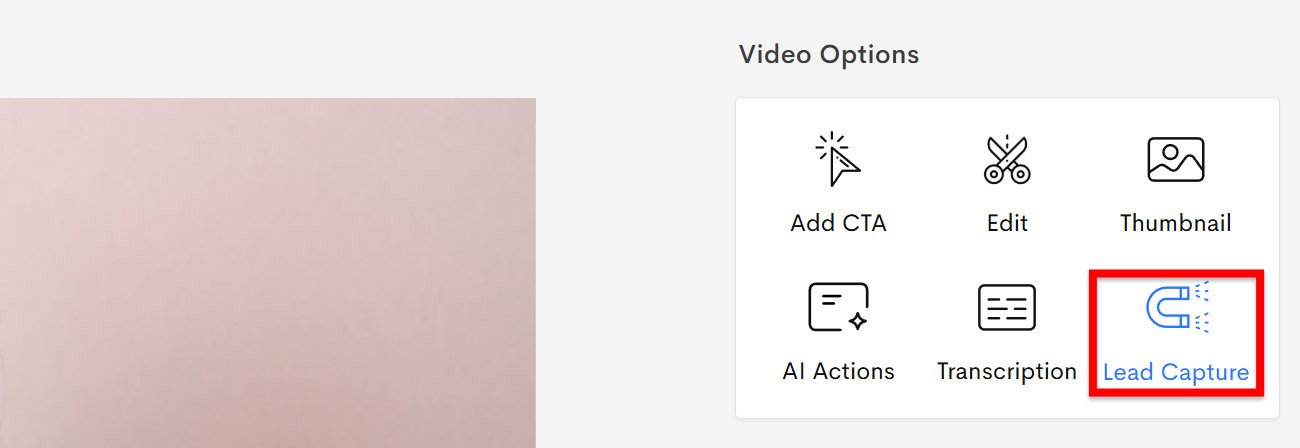
- Select the Lead Capture option from the file viewer’s right sidebar.
- Choose when the lead form appears over the video. You can choose to display it when the video starts, at a specific timestamp, or when the video ends.
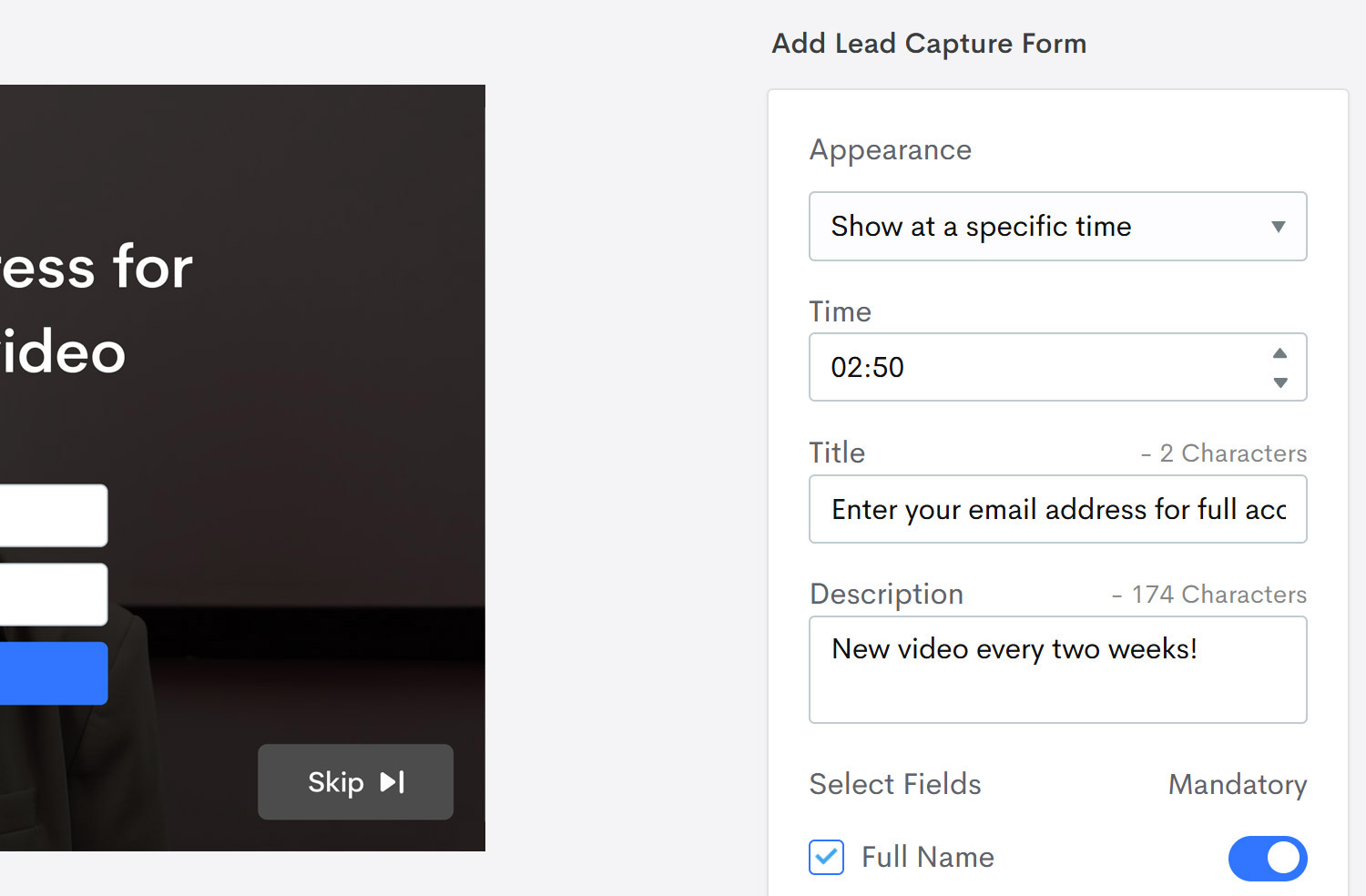
- Enter a Title and Description for the form.
- Choose which of the three fields (Name, Email Address, and Phone Number) appear in the form and which of them are mandatory. Mandatory fields must be filled out for the form to be submitted.
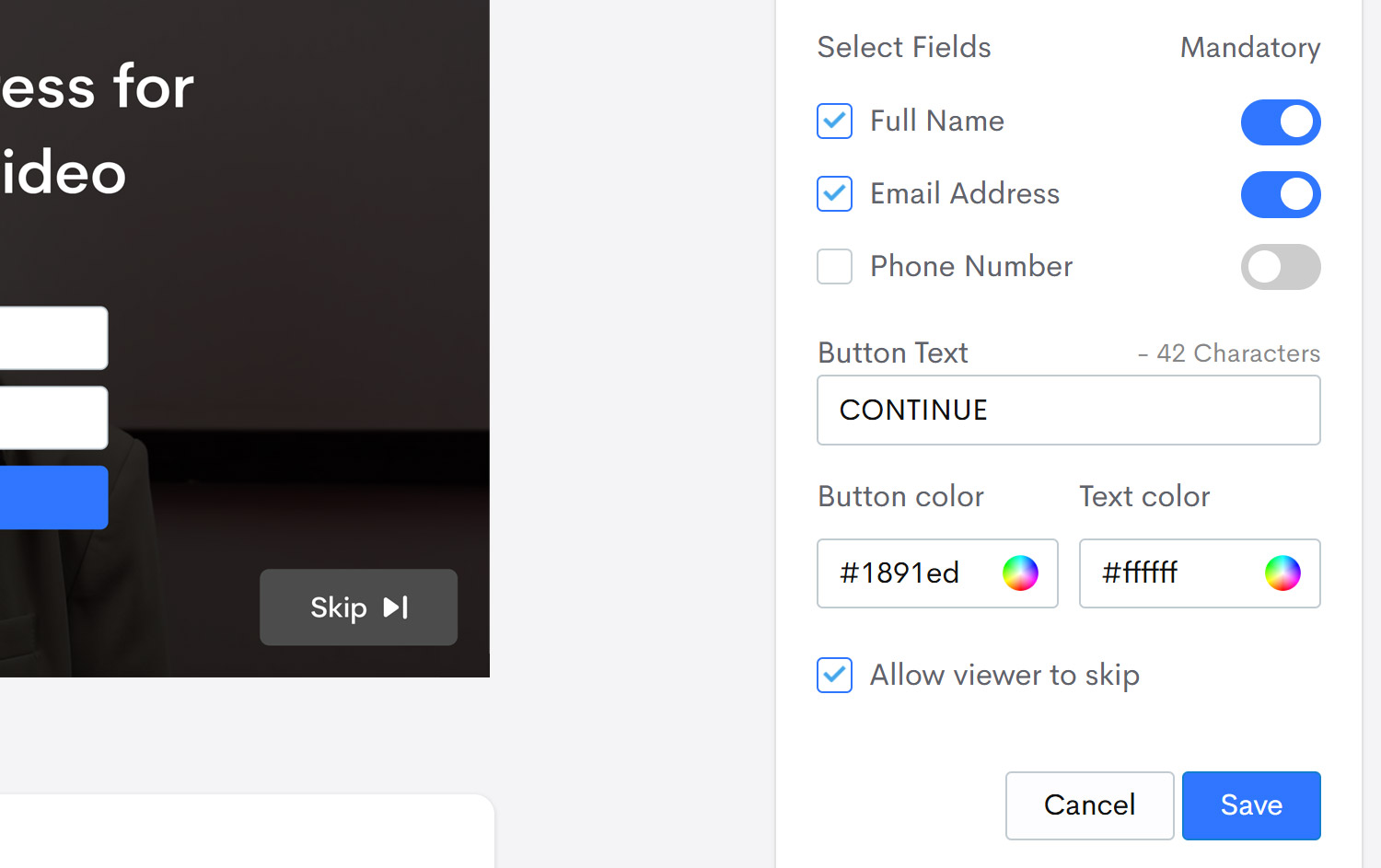
- Enter the text for the form submission button, then choose the colors for the button and text.
- Choose whether or not the viewer is allowed to skip the form, then click Save to add the form to the video.

How to Track Collected Leads
Jumpshare will send you an in-app notification along with an email when a form captures its first lead. To view the full list of captured leads for a video, do the following:
- Open the video for which you want to view collected leads.
- Click on the More (…) button in the top-right corner of the file viewer and select View stats. This will take you to that video’s analytics page.
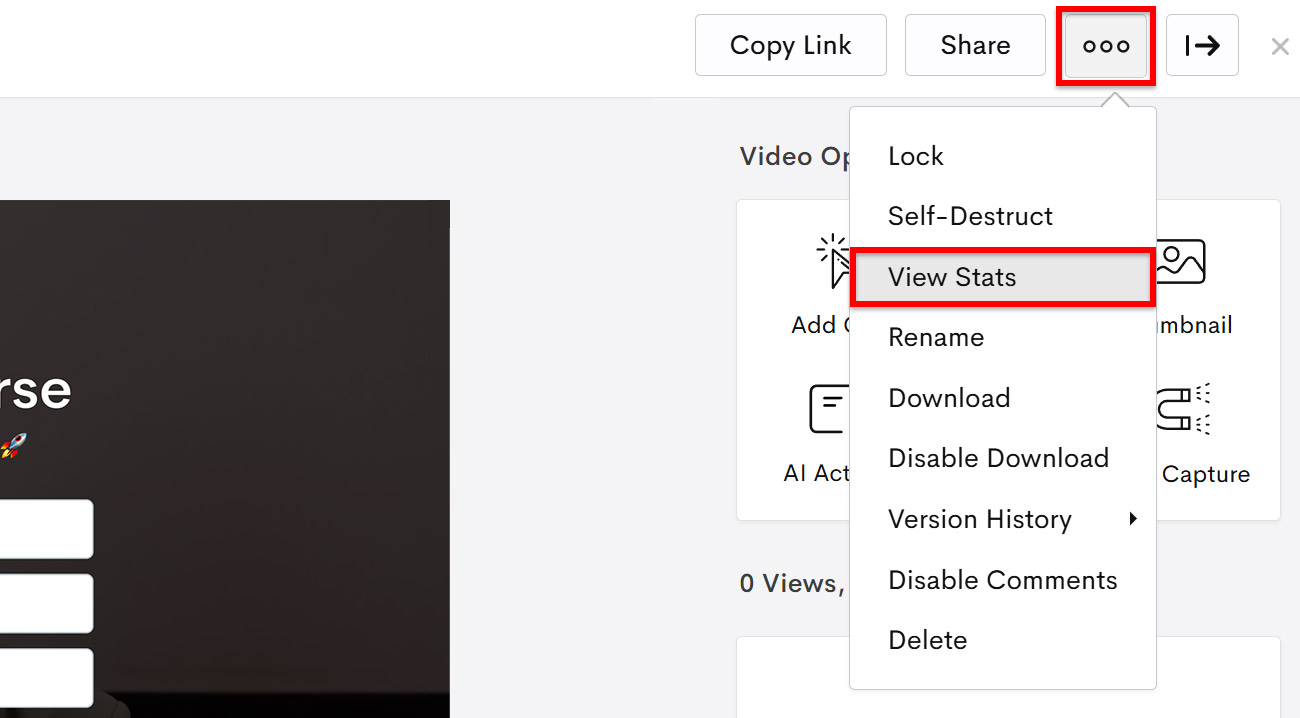
- Switch to the Leads tab from the top of the page to view a list of all leads collected by the video.
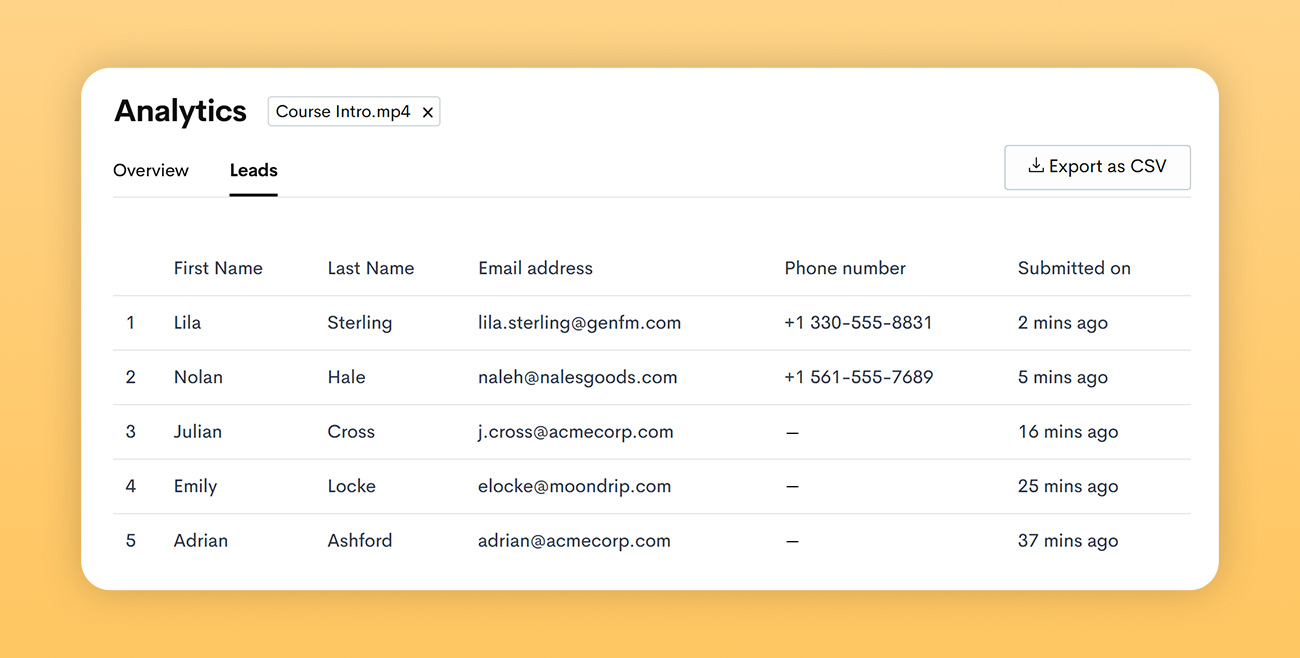
You can now choose to export the entire list of collected leads as a CSV file, which can then be used with your CRM software.
Why Use Jumpshare for Video Lead Generation?
Jumpshare helps you manage the entire lifecycle of a marketing, customer onboarding, or sales video, from recording and hosting to lead generation and analytics.
Apart from adding customizable lead forms, you can:
- Record your screen, webcam, or both
- Share videos instantly with a link
- Generate AI-powered transcripts, captions, titles, and summaries
- Add your branding to the video player
- Add CTA (call-to-action) buttons to videos
- Track views and engagement
- Collect feedback with timestamped comments and video markups
These features work together seamlessly, eliminating the need to juggle multiple apps.